Since nobody has mentioned it yet here, I'm really glad to see AirDrop will finally work between OSX and iOS. It's bothered me for awhile that they have these two different things called "AirDrop" which were not compatible with one another.
The lack of AirDrop integration before is probably one of the obnoxious things Apple has done recently. I'm really excited for this simple new feature.
> one of the obnoxious things Apple has done recently
AirDrop pre-iOS8 (iCloud Drive, Extensibility) would have been almost totally useless or at minimum required developers to waste time supporting a temporary solution.
HandOff is the kind of thing I'm surprised took so long. Honestly, I was expecting MS to get something like it first. After all, your Windows Phone already runs Windows, right?
I remember that that I could do far more with my Sony Ericsson W800 (and Salling Clicker) than I could with my first iPhone. Dialing numbers from the address book, sending and receiving SMSs while the phone was in my bag/pocket, turning the screen saver on and pausing music if I left the area - and reverting on return. Apart from the UI polish, this was the least impressive part of keynote (at least for me) as those were things I had to give up on.
It sounds like you underestimate how hard it is to have "UI polish" implemented just right so that it feels seamless and natural instead of a hack (because honestly we do love to hack but ultimately prefer our prototypes to be implemented first-party, e.g I've been using JACK to stream audio in sync on various devices for years but AirPlay is so much more simple and natural)
It's like Pushbullet built into both OSes with the polish that entails. Absolutely genius. I hope Google builds Pushbullet or something very similar into Chrome and Android, that integration is awesome.
AFAIK, PushBullet doesn't allow you to answer phone calls.
The closest analogue it comes to my mind is an early demo of Ubuntu for Android in which they showed the ability to reply to SMS messages from within the Unity desktop (although I'm certain I saw a phone call demo too, just can't find a link to the video). However, in that case, both the Ubuntu desktop and Android were running on the same device, so it was easier (still a notable feat for the time).
This kind of integration between different devices is far more impressive, though.
Nope it doesn't - that's an example of where this is much smoother. FWIW MightyText already does SMS (via an app, not proximity) on Android/Chrome - although it's not Apple smooth in terms of replying either.
I think the right way to go would be syncing the actions as well as data of Android's rich notifications - things like reply to email/archive from chrome notifications, reply to SMS, hangouts.. It'd be Google's universal apps between Android and Chrome - syncing actions. It'd need a lot of developer support but it'd be fantastic if they pulled it off as well as Apple and supported third parties in a serious way.
They kind of already have something like it with the roaming storage on 8.1, there's just not enough crazy interested developers on the platform trying to push the limits of the sdk, and MS hasn't really advertised all the neat stuff well.
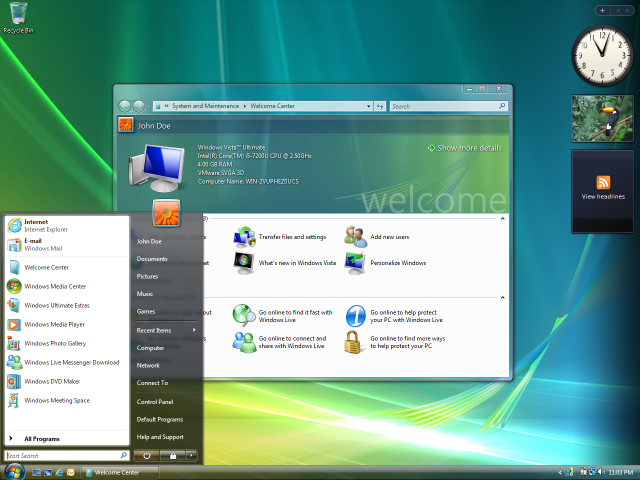
First thing I thought of. "Look at how the background beautifully interacts with the translucent menu bar." Didn't we all turn that feature off back in 2007?!
Though in fairness that was partly because it was such a hog on Vista. I've left translucency on in Win 7, though it sure isn't a productivity boost and it ain't 'beautiful' either.
The first release of OS X had translucent title bars for inactive windows[0] as well as a lot of transparency in sheets, menus and other UI elements. A lot off this was to show off the compositing available in the window manager.
I was disappointed when more and more became opaque over time and am glad to see the return of translucency.
A lot of it still is translucent, just not a lot. The menus, in-app sheets (save dialog, go-to-path in Finder, etc), Spotlight results panel, the Dock…
Yes, I agree. I'm a professional visual designer, FWIW.
After 22 years on Macintosh, I've completely transitioned to Crunchbang on a MacBook Pro and a Windows 7/Crunchbang dual-boot workstation. I really like the translucency and general look of Win7. I had started to feel like OS X was visually dated, but more importantly, harming my workflow.
For development and design, I am working nearly twice as fast in the OS using Crunchbang, and I've made it look and behave just the way I want it to. OS X is completely non-configurable! Since the only thing I need a consumer OS for at this point is for digital audio, I moved to Win7 as I wasn't about to lay out the $$ for the new, unfathomable, Mac Pro. What is that thing anyway? I worked with a guy in a metal shop to customize a case for my new workstation, tricked it out with an internal pro audio interface with exposed preamps and 1/4" jacks, and made it a 3U rack-mount. That versus a garbage can?
That being said, my 2007 Mac Pro is still ticking and I've been able to upgrade it considerably, though changing the processor was a PITA. It's still on 10.6.8- what I consider the high-water mark of OS X- but I would need Mavericks now, and that needs a 64-bit bootloader. (Couldn't use the hack for this since I have a flashed PC GPU in it and that precludes the hack.) Like I said, I can't fathom buying a new Mac Pro.
The way I see it, Apple is just for consumer devices now, and I love 'em. My iPad is critical to my workflow. OS X? Considered harmful. And visually dated!
I'm really curious what you use for your design process. Are GIMP and Inkscape solid enough now that you can spend all day in them without tearing your hair out?
Luckily I don't have to spend all day in any apps, since I have a lot of varied responsibilities. GIMP is sufficient for me for most bitmap/photo editing work and there's certain parts of it I like better than PS. Inkscape is underpowered; okay, but not my favorite. Then again, neither is Illustrator. In a pinch, I can use Adobe products either on my old Mac or the Win7 box, but that's usually for using old files or opening files from others. (I have a KVM.) It can be inconvenient using non-Adobe tools, but I figure now is a good time to break vendor lock-in. Five years ago I still found GIMP insufficient but that's no longer the case.
Believe it or not, two iPad apps have become really important design tools for me- iDraw, a vector graphics app, and ProCreate, a painting app. They cover most straightforward duties. I was very surprised at their power, and not having to whip out the graphics tablet is nice. Working anywhere from an iPad mini retina is pretty liberating. Obviously the laptop is still needed for on-the-move coding, but again, that's Linux, despite the (good) Mac hardware.
If I haven't experienced the translucent effect on iOS 7 I would be as skeptical as you are. But despite all the amateurish things Apple did with iOS (Oh the icons),the translucency is actually very tasteful and providing a satisfactory sense of depth.
The translucency on Vista is just over the top besides a heavy system resource toll.
I'll have to wait to see how the see-through side panel works in reality to give thumbs up to Yosemite though.
I think this is a great example of control and execution. Aero's excessive borders and ornamentation drove me nuts. Yosemite is very subtle in its approach.
  > With this new design, OS X...now looks a bit more like iOS 7, but
  > there is still quite a bit of depth. Indeed, more than flat, the
  > design almost seems to focus more on translucency than anything else.
The above is an incomprehensible collection of words to me. I am not sure if this is because of my lack of an intimate connection to Apple products, terrible writing or some combination of the two.
When design of an _Operation System_ boils down to just how "truculent" and "flat" (but with "a bit of depth") it is, you know we are talking less about the Operating System and more about the GUI/Window Manager.
That does seem to be a bit of a jumble. I think what they're trying to convey is that although it uses flat design like iOS 7, on the desktop it has a feeling of depth due to the layering of translucent UI elements.
Not really. On iOS you can't/don't overlap windows, so its design language never had to describe this relationship.
One of the questions floating around for the past few months was whether the next OSX would go in a flatter direction, and if so how they would cue window overlaps. It looks like the answers are (a) yes and (b) using roughly the same shadowing as before, plus translucence.
I believe Apple explicitly stated they were describing translucency and layers with iOS 7.
Both the Notification Center and the Control center on iOS "overlap" the screen through translucency. It could be argued that the parallax feature is also another attempt at differentiating layers within iOS, coupled with some of the animations i.e opening folders (also translucent), and multitasking.
That being said, I feel that iOS is unable to convey relationship of layers/overlapping windows well the way we are all accustomed to with desktop computers.
windows/views do overlap on iOS. Apple specifically mentioned translucency when demoing Control Center in iOS6 at WWDC last year. They are using the same playbook for OSX
Overlapping UIViews with interactive transitions between view controllers have rapidly become the hallmark of a good iOS UI experience. I personally haven't ever seen overlapping UIWindows though...
That's not what he means. The naming of which view or window class we're referring to is meaningless. iOS 7 features the same concept where views slide and transition onto the view you're looking at (which as you pointed out is not new in iOS) using translucency to indicate depth and layering. For example, see notification center, control center, and others. That was a new concept, and it's been brought to OS X now.
I'm running Yosemite now. The same feel you get from iOS 7 UI is prevalent in the OS. They flattened the window headers. They flattened the toolbar on the bottom. They flattened the status bar on top. It makes for more of a content-focused approach.
The translucency they speak of is in regards to the side menus in apps. In order to give a dynamic feel to the UI, they added some translucency like they have in some iOS 7 apps.
Which parts of the front window in this screenshot[0] are draggable? Maybe this is just me, but I don't like how the titlebar and window contents are visually merged.
All of them — everywhere that isn't another control. Apple stole this design wholesale from GTK[1], but I think it's a superior paradigm anyway, so I don't really mind.
Being able to move a window wherever you click is actually pretty old (the oldest example I know of is the Aqua brushed metal type of windows in OSX 10.3 Panther, I believe). Compact window headers don’t seem new either. For example iTunes has this since 2010 (version 10).
I think this is just reverting back to the way it was in MacOS 8 where a window could be dragged by the frame or the header bar - the only places where the chrome was exposed.
It's one of the design decisions in Gnome 3 that I don't dislike. Happy to see Apple adopt it. I always thought the combination of the Menu bar in OSX (top of screen) with GtkHeaderBar would save a lot of screen real estate... and seeing it in action is nice :)
Personally, I love that the title bar is gone for a slimmer profile. OS X is already displaying the title in the menubar, and I've always found that top area to be dead space. This should be especially useful for Macbook Air users.
I've never used OS X, but isn't it confusing for the windows to not have titles? To find the window you need, don't you need to look at it's contents - something that sounds clunky to me? It's one of the things I hate most about the file manager in Windows 7.
That bothers me a bit too. Maybe because I still can't tell what bit of an IOS7 app is button and what isn't (even with the "accessibility" fix they're not all shown properly).
Agreed. It seems to miss a step, some additional stuff that they couldn't include now but would have made the design complete.
For instance it would work if one could drag any area of a window that doesn't react to a click (like the white space between the bubbles in the chat window). Or additional gestures to easily rearrange/move the windows, something like three finger scroll make the window follow the fingers instead of back/forward.
Yikes, I've always appreciated how I can drag the little document icon where ever I like (like a terminal.app window) to do something else to the file. Also the click and hold key to see the folder hierarchy or open the folder even in the Finder. Those features are positively ancient, they also added the little drop down arrow to the right recently. I hope windows in programs like Preview.app behave at least like how Quicktime Player.app windows behave today, where the title bar with the document icon appear upon the mouse entering the window.
Document based apps have all kept the title and document icon.
With the half-exception of Safari [which had the 'fold heirarchy'], the apps that have lost the standard title bar never had these features, and what has been removed is simply the restating things visible in the menu-bar and source list.
I'm really looking forward to this. Unlike iOS7, the flatter design here doesn't make me feel like a bunch of amateur artists got a hold of a free copy of Adobe Illustrator. I actually like the new look quite a bit. Now, to pray that they've made some under the hood progress on multi-monitor support.
Moving work back and forth from desktop to mobile also sounds really amazing. I get a hint of it when working with gmail or drive, but this sounds much more deeply integrated. Google will have to respond, and this makes me happy.
* when you fullscreen a window, there's a white (sometimes black) bar where the menu bar used to be
* app switcher changes monitor depending on the monitor you last used the dock (which makes no actual sense).
It's "better" in so much as I can full screen two things now instead of looking at a useless monitor full of fake fabric.
I also have two spaces and things don't really quite work right. I'm not quite sure how to make it work better, but it almost never does what I mean right now.
I honestly don't understand this design direction. I know it's nice to have a change but from the few screens I have seen on the Verge it looks like something that came from one of those "I redesigned OS X" blog posts.
I have to imagine that the next MacBook Air will have a retina display, and there will be a different font used on non-retina computers, same as the iPad.
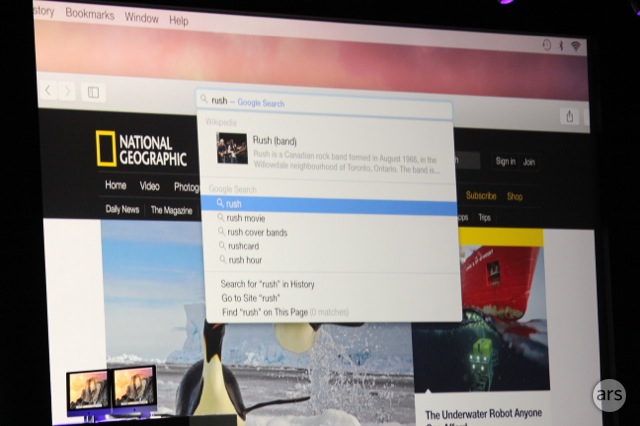
The upgrades to Safari look amazing! [0] Less chrome, Javascript benchmarks (impressive), and the spotlight search in the url...nice! I hope Apple changes the zoom button to maximize the screen.
Apple has been toying with putting toolbar controls into the title bar for a long, long time. E.g. Mac App Store. iTunes at various times. It just was never the default.
I tried using the spacial feature of Nautilus, a file manager for Linux. What's your usage of a spatial file manager? I couldn't see it being beneficial to my file browsing in any way. Just curious.
Similarities between the new dock and the dock in pre-Leopard is an exception, I think. There is much more not in common design-wise than there is in common.
There was a "defaults" option for a flat dock in 10.7 and 10.8... one wonders why they removed it for 10.9, only to change the default back to flat in 10.10.
I'm not a fan of the flat design personally, but the redesign is pretty sharp. I like the minimal safari UI; its nice when the browser lets the webpage be main focus and I think it is something Safari does best.
Which was inspired by LaunchBar. The cmd-space keyboard shortcut originated with LaunchBar back in the NeXT days. Spotlight has had added features repeatedly over the years, and people have said that LaunchBar/QuickSliver/Alfred are about to be "Sherlocked".
> To have developed a product and just started shipping it, only to have Apple come along and provide exactly the same functionality in a system update.
> It happened to Karelia Software twice. Once with Sherlock and again with iWeb.
As seen on a the screenshot for the new notification center calendar, the Life of an Apple user begins at 10:00 with a crossfit session. After that it is not that you go to work then. Relaxing talk with Anne on the phone, maybe talking a little business on the side, but not to rough. After Lunch you do not start to work either. Just let out all those wise thoughts gathered while living your apple lifestyle in a fresh stream, like you do.
Agreed. The UI design isn't even worth mentioning if they really make it seamless to go from device to device. I'd love to leave my phone in another room and just use my tablet/computer while at home.
Not a great article: new features trumpeted include Spotlight's ability to search for mail messages and contacts, and a Private Browsing mode for Spotlight - both of which are pretty long-standing features.
These things tend to get rushed out, but maybe TC could have waited just a few more minutes to weed out the obvious stinkers.
Was this originally a TC link? Because it now points to the Apple.com page for OS X Yosemite, and some of the comments elsewhere in this thread no longer make sense. I didn't know it was possible for mods to change the link associated with a story, and now that I know I wish they wouldn't do it.
If possible, could someone from the Apple community please tell me if Yosemite will be faster / lighter than snow leopard? I don't want an OS that requires 8 gigs of ram to run "fast" like Mavericks requires.
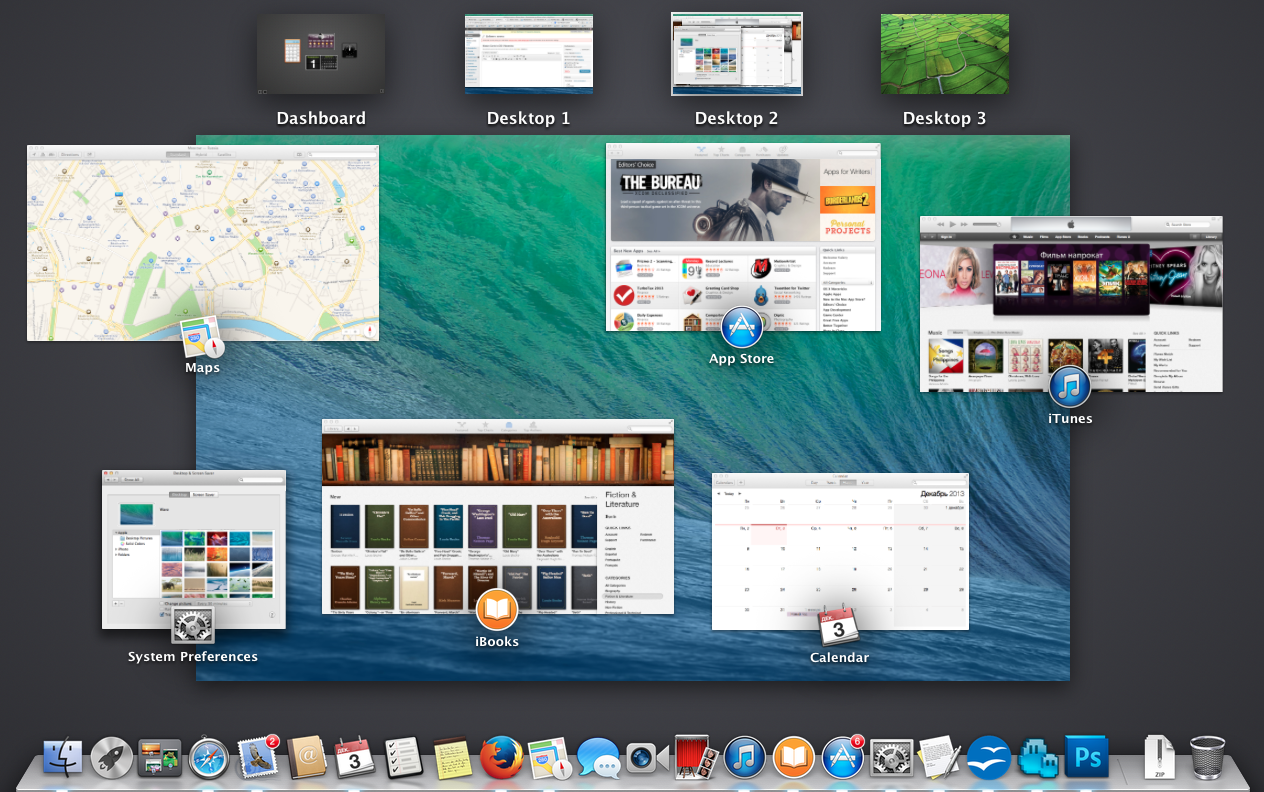
I left the Apple ecosystem when I couldn't move up from my 2006 Macbook Pro and stay with Snow Leopard. Mission Control was such a huge step back for window management in my opinion. I much preferred Expose'ing all my windows across all my spaces, or being able to quickly read content from a covered window while writing an email.
The improvements shown today (especially the phone integration and Swift) are making me think about returning.
I guess you can, until you run into a piece of software that wont run on SL. SL is my favorite OS X version by far too. But Lightroom 5 requires 10.7, so that's where I'm at now...
whaaaaat? My 2012 MacBook Air with 4 gigs of RAM and SSD is lightening fast. The thing that kills performance these days on Macs is if you still have a spinning platter of rust as your storage. Don't do that. (Aside: this is not surprising - Apple has spent a lot of effort optimizing the core OS for iOS, which has always been flash-only storage)
SSD longevity is not worth worrying about, and very nearly never was. Even with all the die shrinks reducing individual flash cell durability, consumer drives of moderate capacity still have write lifetimes exceeding a petabyte. Even a brutal workload of keeping the drive full and using it for lots of swapping won't wear it out before some other critical component of a 4GB machine fails. If you've got a very early and small SATA SSD you might be able to wear it out but the most likely mode of failure is going to be controller/firmware crashing, not NAND cell failure.
Still, if an OS cannot deal with me having a platter disk, it is SLOW (regarding file system access).
Windows is the same, slooooooow. Linux is seriously fast even with a HDD.
Of course, my next PC (whenever I'm gonna need one) will have an SSD, but that doesn't mean you shouldn't optimize "disk" access or filesystem speed in an OS.
I have Mavericks running on an older MBP (2007) and it runs faster than any of it's predecessors. Memory compression feature really helps a lot with that too!
quite the opposite of psychosomatic actually. When SL came out every marketing feature was it was a lighter implementation of leopard. When the succeeding OS's were released, nothing about speed was mentioned and all of the new features seemed less useful.
It came down to: "This OS has no mention of speed, so it's probably slower." which turned out to be quite true out my five friends who have upgraded to Mavericks using 2010 equipment.
I assume you mean the old, pre-4.7 design[1]? Interestingly, Oxygen itself ditched those for a less glossy design that had always reminded me of the (now old!) OSX icons. Not really sure what to make of that.
I hope that they finally fix groupchats across devices. Always have about 5 different conversations with the same 2 people and each message goes seemingly randomly in one conversation.
For marketing reasons (as some don't know about roman numerals), Apple writes it like this OS X 10.9 or now OS X 10.10 or OS X Yosemite (instead of Mac OS X.10 or Mac OS 10.10).
I think printing it as "OS X 10.10" is just a shorthand for "OS X (10.10)", which is necessary since combining roman numerals and digits (i.e. 'OS X.10') is awkward. You would still say it as "Oh ess ten point ten."
I'd be happy if they fixed Mail's connection to Exchange (drops randomly - a know issue), or the terribly slow SMB - mounting Windows drives is just a nightmare. There is a fix, more like a hack really, forcing the OS to use an earlier version of SMB.
Are you talking about Mavericks? I'm still on Mountain Lion and Windows drives take a little while, but I wouldn't call it a nightmare. I guess what I'm asking is: did SMB get worse on Mavericks?
Yes, Mavericks started using SMB2 which has many reported performance issues [0]. Most people experiencing it can work around this by using cifs:// instead of smb:// or disabling SMB2 and reverting to using SMB1 [1].
I wonder how legacy apps will look? I'm assuming it will work the same was as iOS 6 apps do on iOS 7, where they just run the same as they did before and look like older apps.
That's going to be a confusing transition. Although it might shame app developers into updating their apps.
This isn't the first time OS X has changed the looks of title bars[1]. Typically the transition is eased a lot by a) Cocoa works it out for you and b) an active developer community that is provided with early access. So by the time the OS is released to the general public, most apps have already been adapted.
I left OSX for Linux 5 years ago primarily due to the unbelievably lacking window management. Having come from Windoze land with the then, and perhaps still, excellent UltraMon, I could never adapt to manually reizing app windows side by side into grids, or context switching between layers expose-style.
The tiling window manager options on Linux are so good that I've dropped the desktop environment entirely (Gnome, KDE, etc.) and am just rolling with a TM, lightweight theme and icon package for a quite nice gtk3 look.
OSX wins in out of the box "just works" and bling departments, no argument there, but otherwise it holds no appeal, this bird has flown...
I started out with Awesome as well but switched to i3, get a huge amount of functionality out of a very straightforward config (read: low PITA/high reward factor).
Anyway, for a very nice gtk3 look you can try StudioFlat off of the Gnome Look site, and gnome-icons-brave via whatever your package manager happens to be.
The tiny xcalib package (100kb) is also worth grabbing, hook up to xbindkeys and you get screen color inversion _per monitor_, very bad ass, your eyes will love it.
Use 2+ monitors and 2+ desktops ('Spaces' or whatever they're called). When you're expecting to go from app A to app B, instead you're taken to app C. Or, you're taken to an unexpected window of App B on a different desktop.
Also, the Z-ordering of windows seems really odd. If you have multiple windows open from two apps, and you ⌘+` between them, sometimes all of App A windows are brought to the front and App B windows are hidden. Other times only one App A window is brought up. Meanwhile, if you have App C chilling on a different monitor, it may or may not disappear at random.
Even if it worked as intended, it would be flawed when compared with Alt+Tab on windows.
I agree, the full-screen and multi-monitor workflow stuff in OS X has been improving slightly, but it's still quite a mess. Apple seems to go out of their way to make it not work well.
That's very generous. I think a more correct response would be that the multi-monitor workflow in OSX is shockingly bad, so much so that we have to question whether anyone at apple uses 3 or more monitors as their work environment at all.
Is there some company edict, or cultural pressure that discourages it ? I don't see how any of these issues could have survived early-alpha (of Lion, and ML, and Mav., etc.)
Oh I see. I frequently use a second monitor and there are times when some app will open or show that really had no reason to. This tends to happen when I do ⌘+tab. On the other hand, window navigation for me has been fairly decent.
I don't know which of the two are "buggy", but command-tab and command-tidle have different behaviors:
command-tab will let you toggle back and forth between last two apps - sort of a classic alt-tab behavior from Windows and various UNIX WMs.
command-tilde goes through your windows in a stack, in one direction, and you have to modify it with shift to go a different way. Further, if you destroy a window after command-tilde to get to it, suddenly the direction gets reversed, and you will then command-tilde back the other direction.
So ... one of these is "wrong". I'll leave it to you to decide which. From my perspective, the ability to rapidly switch back and forth between two windows of the same application is valuable, and I hate having to modify it with shift as I go back and forth...
In a comment above you said that you're still using Snow Leopard on at least one machine and I can't recall if it works there (though I don't remember the last time this feature changed and I've been using since 10.1)...
Command-Shift-` will reverse the order
Command-Tab will flip back and forth unless you exceed the delay while still holding command, at which point you can cycle through the stack. Holding shift reverses the direction.
That being said, I agree that swapping back and forth in between windows of the same app is very useful and it's a pity that the two features aren't made to work in the same way. I'd like to do a quick Command-` to toggle two windows, or hold it down to see the list of windows for the current app.
Thanks for putting your finger on that niggling feeling I've always had that command-tilde isn't quite right. The really obvious difference, of course, is that command-tab gives you a nice preview of what you're about to switch to, helping you make the decision in the first place. command-tilde just dumps you somewhere else and hopes you're not too upset with where you end up.
I am deeply disappointed by the "development" of OS X. It seems that Apple has long ago gutted their x86 OS group due to dwindling profits and lack of real competition. There are a handful of reasons people buy a Mac, and I would largely put them into three groups:
* Students looking for a stable and/or sexy device for their university.
* Artists using applications that don't exist on other platforms (or that prioritize Mac platforms).
* Hackers that want a Unix-like system with a BSD userland, or want Anything But Windows on a laptop.
Sadly, these groups are small groups with eclectic needs that won't be met or improved by real systems engineering with the kernel and core modules. What do I mean by real systems engineering?
* Major kernel development
* Novel and/or modern filesystem support
* Fundamental or deeply integrated "platform" features
In Linux land, every major kernel release brings these features. There are tangible improvements to filesystems, to core features that enable new things to be developed on top of them in every Linux release. These are, largely, absent on OS X. The system is too closed, and the result is that things like Time Machine or even security features and ACLs are hacks upon hacks. Full disk encryption and home folder support is, again, hack-ish, and largely built on work other people did. OS snapshots is essentially an "rsync" to another drive with a smart "restore" utility that repairs changes.
The major kernel development that Microsoft undertook with Windows Server 2003 and Vista is still paying dividends. Folder shadow copies became integrated into fully consistent backups with built-in snapshots. Full disk encryption improved - though home folder encryption is still tragically stuck with NTFS "EFS" support (lackluster, at best.) UAC, AppLocker, and integrity levels brought foundational improvements to the security model. Networking stack changes brought DirectAccess, a woefully underused and under-marketed technology. Storage Spaces and ReFS, though years too late, are interesting alternatives to ZFS/BTRFS. Transactional NTFS was woefully underused, but maybe it will return with ReFS. The core improvements Microsoft is making to the NT kernel are still worthwhile, though. Hyper-V is a fantastic technology, and could really blow people's minds when it's baked into the client OS. (For reference, Hyper-V powers the Xbox One's dual app/game personality. It allows isolating the management OS from games running on it, and also keeps the management OS from interfering with game performance with resource limiting. And they both share high performance access to the GPU.) Ah, I could go on. Reading about new stuff in kernel development is a joy.
Of course, I could go on ad nauseum about Linux changes since 3.0x, but http://kernelnewbies.org/ does a better job than I will.
The result is tragic: Microsoft invested in platform features and then didn't sell users on what it could do with Vista. Apple continues to apply lipstick to the OS X pig and sell users on changes to the window manager and built-in applications.
I would add a fourth bullet point, which is "casual computer users who are willing to pay a bit extra for a no-hassle PC with good build quality, and don't much care what OS they're using".
> Sadly, these groups are small groups with eclectic needs that won't be met or improved by real systems engineering with the kernel and core modules. What do I mean by real systems engineering?
My fourth group isn't small (though perhaps shrinking due to the popularity of tablets), but also has no need for "real systems engineering". My question is this: who does need that stuff? Isn't it really just administrators of high performance servers?
Don't get me wrong, I plan to have a lot of fun and learn a lot from reading up on all the things you mentioned that I either haven't heard of or know of only as buzzwords, but I just don't see how any of it is relevant to most peoples' interaction with computers. Selling "we changed some superficial design elements in the window manager" really does make more sense.
Mavericks introduced a lot of tangible under the hood improvements that perhaps you missed, Ars did a thorough review, perhaps start with how the OS was changed to improve energy consumption: http://arstechnica.com/apple/2013/10/os-x-10-9/12/#energy-sa...
Yes, linux geeks can school Apple on systems engineering when they can deliver laptops with a better battery life than Macs get. As for this latest release, what, adding a new systems programming language and a whole new graphics API isn't enough?
At least my Mac recognizes and uses a second monitor when I plug it in, unlike the bloody Fedora 19 box that I use at work. And don't get me started on that second graphics card that the system can't figure out how to use! And the wifi Just Works(tm), unlike the Ubuntu laptop that I had before that.
Also, I had issues with sound going out and not returning until after a reboot on OS X. This drove me nuts.
Thing is your points only apply to OS X if you run it on Apple hardware. If you get ubuntu certified hardware you will have no problem running ubuntu either. Ubuntu is going to run on more devices with less issues simply because the linux kernel is designed to target more hardware than the OS X kernel.
This is a fair point: Apple has carefully selected the hardware that OS X runs on. Most people interested in Linux expect it to support, without issue, whatever laptop happens to be lying around.
I had the sound issue as well. When I close my laptop lid with an headset plugged in (and especially if I unplug it before opening the lid), Mavericks totally looses track of audio and behave erratically.
I have been able to make sound work again by killing the coreaudiod process. it is very brutal, but it works.
> Also, I had issues with sound going out and not returning until after a reboot on OS X. This drove me nuts.
This one bothers me endlessly. I got my first Macbook in '09 and have had two others since, and every single one of them has had this problem. I just don't get it.
My 15" rMBP running Mavericks randomly reboots on occasion, and to this day still requires me to manually disable / enable WiFi almost every time I open the lid.
Meanwhile Homebrew is a poor substitute for aptitude and PPAs, multi-monitor support is relatively poor (xmonad excels here), and the Apple keyboard is missing a bunch of keys I use on a regular basis.
This. People sing to the heavens of how stable OSX is and how it just works. I've had as many if not more issues than with my Windows 7 Samsung laptop.
Wifi constantly needs manually disabling/enabling, Bluetooth Audio crashes are common, I average one full system crash per month, display settings reset themselves magically and Finder is infuriating. I should be keeping a log of all the issues I have.
Latest Macbook Pro here and have that same WIFI issue. I still have 5 year old Lenovo with windows 7 on it that is just as, if not more, stable than the Mac.
On Mac things like Alfred (probably will drop this for the new spotlight), better touch tool, some capabilities like ability to swap USB MIDI controllers without restarting OS are cool. Honestly though, performance wise there isn't that much difference between my Mac and Win Machines and being in programs full screen most of the day I notice much difference at all. The really flexible information moving things I've grown accustomed to on Win seem a bit crippled on Mac because of lack of a filesystem.
That's still awful, though. Why should I have to go to imore.com to fix an issue in my OS? This has been in OSX since launch and Apple hasn't fixed it. Mad.
Dell XPS Ultrabook with Kubuntu 14.04 here, without any patches or extra settings. 11W consumption with medium screen brightness, works for ~5 hours with normal browsing (occasional compiling)
Recognizes all monitors and projectors (even the ones Macs fail at) at my work place. The WiFi just works (TM).
You are not using a "Ubuntu laptop". As danford said, just pick a Ubuntu certified machine* and things will just work (TM). And, you will still have more choice than OSX ;)
Sorry, but 5 hours on an ultrabook is not competitive. Current Macbook Airs are rated for 12 hours with normal use, and third-party testing has found 10 to be realistic.
demallien is right. Nobody on the Linux side has done this kind of aggressive power engineering for consumer-oriented x86 hardware. Google might, for Chromebooks, but it's not clear how portable that will be to the rest of the ecosystem.
It just depends on the 'linux side of things' group your talking about. My T420s runs a full featured GNOME desktop on Arch at 5.5w idle, 7w browsing, 10w loaded. 136 watt hours total battery capacity with three batteries.
"Hours" is a really poor way to gauge these things, because while it may seem practically applicable , we're really comparing apples and oranges.
My T420 before my T420s had a battery run-time of 15 hours. I could fail to mention that it had a slice battery and an ultrabay on top of the primary battery and tell everyone that the particular model and OS ran for 15 hours straight, but that would be disingenuous. If I was a marketer I could run the processor at lower voltages, dim the screen unread-ably, turn WiFi off, etc etc until I got whatever numbers I wanted.
As i'm not a marketer, I also feel as if the claims people make about Apple's hardware being better at power management are also somewhat dishonest.
They are a company that has ultimate say in their hardware platform and software ecosystem. No other computer company locks down production that much in an effort to increase the individual experience of each consumer. That lock-down allows for an amount of control that would be unrealistic to expect from the FLOSS community, as they have little power or say in production and ultimately must code to support a wider range of people rather than a narrow set of known hardware packages that are available.
My point : optimizing narrowly for a single platform is much easier than the opposite; a more fair comparison of battery life would be watts-per-hour usage during a standardized testing/benchmarking suite of some sort, along with the watt hours of battery capacity(although historically handset manufacturers have sidestepped that issue by having the software recognize when it's being benchmarked..). "Hours of use" could be practical if it wasn't arbitrarily inflated or deflated by uncommon usage profile testing and specialty optimizations for the sake of marketing a bigger number.
It's not impossible to get good numbers out of a Linux build, it's just fairly difficult for someone unfamiliar with the system (and sometimes impossible without doing the work yourself with certain hardware stacks). There exists a whole subspecies of Linux users that are somewhat akin to hypermillers who turn this kind of dilemma into a game and compete for lowest wattage.
Apple states 9h for a contemporary 13" MBP. Mine (two weeks old) runs for 4h max, if I do any serious work on it. If I switch Wifi off an dim the screen, I can get 6-7h out of it.
The machine is dual boot as I'm using it to develop software that targets both OS X & Linux.
I run a Gentoo with all kernel- and other power saving features enabled, on a 2nd partition.
The time I get out of the battery on OS X vs Gentoo is pretty much the same.
What I do is "surf" (FF, mostly text/reading docs, flash blocked etc.) and code (I do a build roughly every 5-10mins that will probably touch 10 sources max).
Build environment matches except for compiler being used (gcc 4.1 on Linux, latest LLVM gcc frontend from XCode on OS X but I would think this is minor).
Bottom line for me: Linux is on par with OS X in terms of time you get out of a MBP, in my case specifically.
Caveat: I dunno ofc, how true this is, generally, if one ran something like a pre-configured Ubuntu kernel.
I used an Ubuntu certified desktop (well, laptop) and things did not just work (TM). It generally failed to recognise my second monitor unless I opened the system settings, then closed it. It also failed to recover from sleep on a regular basis and got terrible battery life. Needless to say, I ditched Ubuntu. I think it's junk, to be quite honest.
I'm using Crunchbang on that laptop now and it's mostly better.
> At least my Mac recognizes and uses a second monitor when I plug it in, unlike the bloody Fedora 19 box that I use at work. And don't get me started on that second graphics card that the system can't figure out how to use! And the wifi Just Works(tm), unlike the Ubuntu laptop that I had before that.
For what it's worth my debian wheezy laptop detects second monitor just fine (and I am using awesome-wm) while my 2007 iMac randomly lose internet though it's connected to my routeur via wifi. So... data points.
> At least my Mac recognizes and uses a second monitor when I plug it in
This is mostly a solved problem in linux these days. Macbooks have consistent and quality hardware. It's no surpised they work well. If you use a mainstream laptop or PC parts, it will 100% work with Linux. Using cheap noname parts or manufacturers with poor software support then you'll have issues.
For example, Macbooks + Fedora 19 work perfectly. So does the 3 Lenovos I tried and a Dell XPS.
> At least my Mac recognizes and uses a second monitor when I plug it in, unlike the bloody Fedora 19 box that I use at work. And don't get me started on that second graphics card that the system can't figure out how to use! And the wifi Just Works(tm), unlike the Ubuntu laptop that I had before that.
Yes, please, let me spend time fixing distro BS instead of, you know, working.
I don't remember any time when Wifi worked out-of-the-box in my previous Linux laptop. It worked if I did things manually (wpa-supplicant and stuff), the NM widget? Never worked and made things harder
Another issue: opening and closing the lid doesn't have a consistent result, and sometimes it just keeps the laptop running.
This is for the basic functionality, and sometimes even things that worked before stop working.
Older distros had to be more manually configured, but when that was done it was good to go, today it is even harder to shut down the non-working stuff.
So yeah, it's Mac for me from now on. Recovery from Time Machine needed some "Linux style hacking" once, but apart from that it's a breeze
My Thinkpad X1 Carbon draws something between 6W and 16W between idle and moderate use. I never measured it at full load. Perfectly acceptable, and way competitive with the equivalent Macbook Air, which draws 25W idle.
So, I guess, per your definition, that Linux geeks can school Apple today.
My 2010 MBP, which is obviously getting long in the tooth, saw its battery life double with the Mavericks upgrade. That alone made the transition worth while. Plus, there were a ton of small refinements that I got used to very quickly.
I didn't notice how quickly until I switched back to a Snow Leopard install I maintain for Final Cut Studio (don't get me started on FCP X). All of a sudden the old OS felt...outdated. Totally reliable, sure. But not quite as friendly.
One unexpected change is that Safari has become my favorite browser. Its integration with the OS and iOS, plus the integration of iOS and OS X gave it an edge that Chrome and FF can't match. Judging from what was revealed today, it's looks like that kind of seamless transition between devices is what we can expect a lot more of.
I think my Mac is a 2011, but I saw a similar thing when I upgraded to Mavericks. I've been pretty happy with it for the most part.
More recently I saw massive power savings by switching browsers. I love Chrome, I love its UI, I love its web devel tools. But even when I only have a few tabs open my Mac's fans just won't stop spinning. :( I kind of swapped back and forth between Safari and Firefox since then, but mostly settled on Firefox. I may give Safari another chance when I install Yosemite.
Snow Leopard was the last major kernel guts release, and it wasn't that long ago. OS X is a mature, client oriented OS. They add new API's, etc, and make lots of little improgements continuously, but what more is there to do?
I haven't felt the urge to check out the release notes for a Linux kernel release in years. Wake me up when they get VM hooks to speed up GC or something. The new developments just aren't that relevant on a client machine.
While I agree, I think Apple's core demographics does not want to think about the file system. There are enough abstractions created by the apps to the point that users don't think about where their files are at all.
It's not how I want to operate either, but that's the direction Apple has been heading to for a long time
Although they do seem to be backtracking on this stance with yesterday's iCloud Drive announcement [1], giving access to the filesystem they've been trying to hide away for the last few years
what negative aspects of the filesystem would affect an 'intermediate' user (e.g. a high-level hacker) on a day-to-day basis? Admittedly, those two are very frustrating, but I'm struggling to think of any others.
If you Mac loses power and doesn't get to do a normal shutdown, you're eventually going to get file system errors that you can only fix by booting from a recovery disk. I've had this happen numerous times due to a broken battery on my laptop. If you've never ever run a disk repair on your Mac, do one and you might be surprised. You should expect more from a filesystem in 2014.
how about locking my entire system when it wakes externally connected USB drives, namely my time machine. Oddly it seems to occur while I surf.
That and permissions seem to get screwy at times. I had a long running issue where I could not launch JAR files, found others with similar issues and finally figured out, I no longer had permission to my own user folder and the JAR I was launching needed to create a working directory. Ended up solving the problem for more than myself.
I still try to figure out the desire for case sensitivity in about anything
It's disappointing to see this comment at the top of this thread considering the amount of work that Apple has poured into OS X over the last few years. Criticism is great, but comments like "Apple continues to apply lipstick to the OS X pig" just seem hyperbolic and unhelpful. For example, one of your specific criticisms is that their FDE solution is "hack-ish" but I have no idea why you'd think that, e.g. look up Core Storage (which is what enables their FDE support and their Fusion drives) and their security whitepaper on how the FDE works under the hood. It looks like a well-thought out and developed feature to me. I also don't understand why, e.g., students, artists and hackers-who-like-unix are considered examples of "small groups with eclectic needs" when really those three groups together probably make up a large chunk of OS X's user base, so it makes sense that development would be focused towards them?
There's some sort of weird double standard being applied in this post. Linux and Windows internals are named and enumerated in great detail, but none of the recent developments of OS X are (see, for example, the Siracusa reviews on ArsTechnica). Is it possible you're just more familiar with the details of Linux and Windows internals?
Just one example:
Mac:
> Full disk encryption and home folder support is, again, hack-ish, and largely built on work other people did.
Windows:
> Full disk encryption improved - though home folder encryption is still tragically stuck with NTFS "EFS" support (lackluster, at best.)
Somehow this supposed to show that Windows is doing it better than Mac?
>Microsoft invested in platform features and then didn't sell users on what it could do with Vista.
I think you are focusing on features that are unimportant to most users. People hated Vista because it was so slow, clunky and crashed. I remain amazed that between clicking a folder an seeing a file within it can take about a minute on my friends old Vista machine. I'm also pleasantly surprised on my MacBook that it pretty much never freezes and resumes from sleep in about 2 secs with going wrong unlike any windows machine. What counts for users is how the machine works, not whether the underlying implementation is trendy, I think.
Did your friend buy a Vista machine with roughly equivalent hardware?
I dropped $1200 on a Vista laptop (Inspiron 1520) back in 2006/2007. It wasn't slow (Kubuntu on the same HW was faster though) and I don't recall it ever crashing. Sleep worked reliably although it was more on the order of 30 seconds with a spinning disk. I very much preferred it to XP at the time mainly for the the start menu improvements. I think a lot of the Vista issues - and to a larger extent, complaints about Windows - come down to subpar hardware. It's my suspicion that if you pay less than $1000 for a laptop it's probably not very good except on paper.
I am still using that laptop today - to write this post in fact. About a year ago I replaced the harddrive with an SSD. I can't speak about Vista performance since I installed 8 (now 8.1 Update 1 or whatever nonsense MS calls the latest Windows), but sleep is extremely fast; the instant I open the lid everything is usable.
I believe that compelling end-user features could be developed on top of the work Microsoft has done on their kernel. A good part of what's missing is somehow selling developers on these platform features. And, of course, Microsoft should lead the way and leverage this tech themselves.
You are probably not their target market. Apple makes machines that just work. 99% of the world doesn't know what a kernel is and doesn't care. They just want computers to work.
I assumed a few years ago that they would move to mainstream FreeBSD, but it has never happened. It would be the easiest thing to migrate to, and is way ahead of OSX.
I think your complaints are misguided. In terms of desktop usability and feature integration Mac OS X beats any Linux installation I've ever used. This is what most people care about, not how many file descriptors there can be at once. In terms of backup, Time Machine together with a Time Capsule is the only backup system my dad has ever consistently used so far. It does not matter if there are superior solutions for more advanced users, as long as there is no dead simple solution. To my knowledge there is no linux distribution that offers something as simple out of the box.
OS X sort of lacks in default command line tools, but that can be fixed rather easily. I also feel that as Windows 8 compared to OS X loses easily both for Design and Usability, Windows 7 came closer. There are obvious limitations to the approach of all desktop operating systems and for that matter the whole "desktop" and "application" metaphor, compared to systems like the Lisp Machine. Ideally a power user would have access to a fully programmable system, without prepackaged applications and type directed interactions.
I know it's hardly the most important thing in an operating system but god that looks ugly. This dumb flat fad cannot end soon enough. I hope mavericks get security updates for awhile because I don't have plans to upgrade.
The Handoff feature is interesting. I hope its not just some lame cloud sync that takes ages to sync because your 3G/wifi is spotty. For e.g. If I was writing an email in Mail.app I'd want to be able to shut my mac and resume writing on my iphone exactly where I left off. Same with Safari and other shared apps.
Again, I came to the same conclusion like many times before. Apple does have the best hardware (talking about notebooks), but that's where the story ends.
I found a combination of MacBook Pro with Linux, as the only good use of Apple hardware.
Completely the opposite for me. Now that I am used to all the pleasantries of OS X, it is painful to try and get anything done on a linux computer. I end up ignoring whatever disaster of a desktop environment is installed and living in the terminal.
Will the syncing of Mac and iOS have a significant impact on the battery life of the iPhone? I noticed MightyText takes up significant energy on my Nexus 5.
Ha, you're right. I guess something about how Lucida Grande is rendered, plus all the formative years spent on a Mac Plus, made it so I've been seeing Chicago this whole time.
Ironic that the official apple page for Yosemite shows it running a macbook air, which hasn't seen a cosmetic or design update in ... 6 years ? 2009 was when they removed the physical mouse button...
And what would you like to change in MacBook Air in terms of design? The only thing I can think of are very minor, evolutionary changes, but other than that, this machine is perfect (or very close to it) for what it stands for - very portable computer. On the other hand, there's plenty to do around the OS X.
How about allowing the lid to open 180 degrees? I can't curl up on the couch with my Air nearly as well as I could with my Thinkpad.
Or making it so the palm rests don't suck all the heat out of my hands? Or smooth the sharp edge so it doesn't sometimes dig grooves into my wrists? And, ffs, retina?
True, the Air is still the best portable laptop going (Intel should be downright ashamed of their Ultrabook fizzle). But very close to perfect? Not yet.
In 2 years when they announce iOS X (10), I expect that will be when apps can only be loaded from the App Store and their vertical integration will be complete.
Yep, Apple still hasn't learned that iOS Flat is Apple's Vista. Windows users used Vista DESPITE aero not because of it. So now they added it to Mac. If I can keep from upgrading, I will.
I wish Apple would spend their resources on finally fixing some of the most broken fundamentals (photo sync, notifications, finder...), rather than letting Ive further trash the GUI and celebrating that as some sort of accomplishment...
Other than Finder, the rest of the keynote seems to have addressed photo sync (nonissue for me so I saw something happened but didn't follow the details), but notifications is getting a big revamp (in experience more than UI it seems).
EDIT: The Notifications UI is actually getting customized widgets finally. About damn time.
Yes, I agree. I think the current OSX UI has timeless quality and this new design feels like a fad design that will look dated in no time. Fixing finder doesn't make for exciting headlines I suppose, and that seems that's what Apple shoots for these day, trying to maintain the innovation image at all costs.