https://github.com/typst/typst is an interesting competitor to ConTeXt. It's not even TeX, but somehow I tried (and liked) it before I tried CoTeXt. TeX syntax is not something I ever enjoyed in LaTeX.
How much more compatible with LaTeX is ConTeXt than typst? For example, is there tikz for ConTeXt?
> TeX syntax is not something I ever enjoyed in LaTeX

ConTeXt is still TeX, but its syntax is very different from LaTeX's. Nearly every command takes an optional set of key–value arguments, and everything is integrated into the core, so the syntax is much more regular. Example:
  %% Compile with "context <filename>.tex".
  %%
  %% ConTeXt is included in the default installation of TeX Live, so if you have
  %% LaTeX installed, you probably already have ConTeXt installed too.
  \setupcaptions[color=red]
  \setuphead[section][color=blue]
  \setupheader[color=green]
  \definehighlight[emph][color=orange]
  \setupTABLE[each][each][color=red, framecolor=green]

  \starttext
      \section{Introduction}

      \startplacefigure[title={Caption.}]
          \externalfigure[sys:///cow.pdf][width=2cm]
      \stopplacefigure

      Hello, world! \emph{This is emphasized text.}

      \startTABLE[textcolor=red]
          \setupTABLE[row][1][style=bold]
          \NC[style=italic] Header 1 \NC Header 2 \NC Header 3 \NC\NR
          \NC               Cell 1   \NC Cell 2   \NC Cell 3   \NC\NR
      \stopTABLE

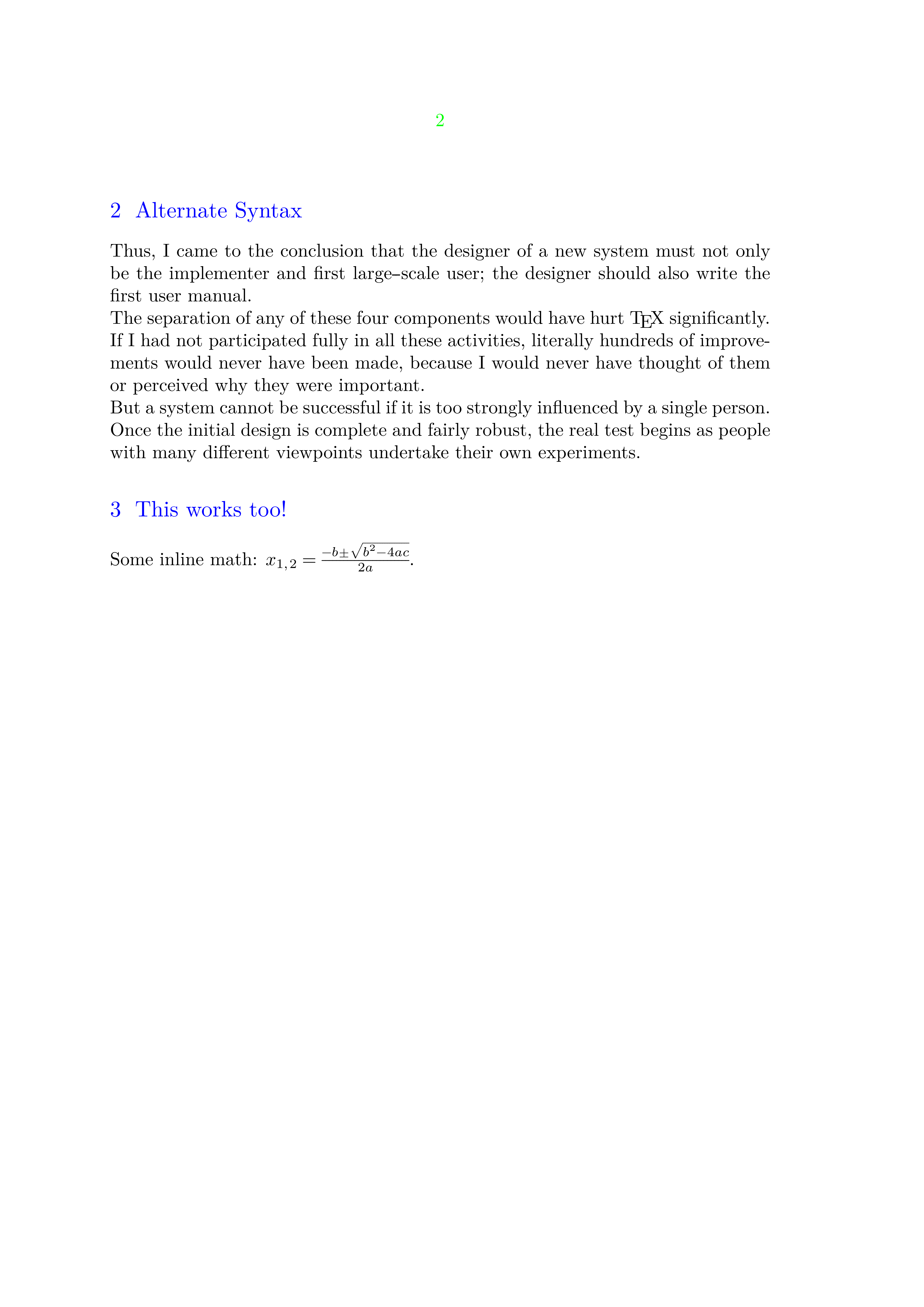
      \pagebreak

      \section[
          title={Alternate Syntax},
          style=smallcaps,
      ]

      \samplefile{knuth}

      \startsection[title={This works too!}]
          Some inline math: $x_{1, 2} = \frac{-b \pm \sqrt{b^2 - 4ac}}{2a}$.
      \stopsection
  \stoptext
> How much more compatible with LaTeX is ConTeXt than typst?
Most engine primitives (\hbox, \def, \relax, etc.) and Plain TeX macros (\quad, \nobreak, \bigskip) work in both LaTeX and ConTeXt, and the math syntax is almost identical between LaTeX and ConTeXt too. Otherwise, they don't share very much in common.
> For example, is there tikz for ConTeXt?
Sure, it's called TikZ :) Meaning that TikZ has native and full support for ConTeXt, so
\usemodule[tikz]
is all that you need to use it. Metafun [0] is ConTeXt's built-in alternative to TikZ, but you can use both in the same document if you want.
This is less of a usable tool and more of a concept right now, but there are algorithmic ways to do better than rsync (for incremental transfers, ymmv).
There's a way to make `^q` quit `less` and not clear the screen (like `less -X`), while `q` quits `less` and clears the screen (like normal `less`).
1. Do `echo '^q toggle-option -redraw-screen\nq' >> ~/.config/lesskey`
2. Make sure `less` is invoked without `-X` (or with `-+X` if you want to be sure).
This `^q` command is particularly useful for `git log` output and other things where you might need to refer back to them in the next terminal command you do. (In fact, `git` uses `less -FRX` by default, so you'd need to override its config to use `less -FR` instead for the above to work as intended). The `q` command is useful when you don't want to lose what you had on the screen before invoking `less`.
The original version I suggested works too, but by accident. `redraw-on-quit` is the actual option name.
(I'd edit my original message, but it's too late for that)
----
Also, note that if you put `--redraw-on-quit` into your `LESS` config (and not `-X`), and set up `^q` as above, things will still work but with flipped behavior of `q` and `^q`.
If your version of `less` is new enough, I believe that the `--redraw-on-quit` behavior is in every way (slightly) better than the `-X` behavior. In addition to the above, some terminals have special behaviors in alternate screen (like converting mouse wheel to up/down keys), which `--redraw-on-quit` will preserve.
See also https://github.com/jj-vcs/jj/wiki/JJ-Con-2025 for a list of all the talks, their slides, and some additional notes. I think the slides are also linked from youtube, but the website definitely has them.


How much more compatible with LaTeX is ConTeXt than typst? For example, is there tikz for ConTeXt?